
How I use Spotify
I've been a Spotify subscriber for over 11 years. Over the years I've tried several of the other music apps, but Spotify stuck. It is however not an app without its pain points. On occasion I've been using the venerable Spicetify to fix issues, like when Spotify tried to go above and beyond in promoting podcasts.Spicetify did have its disadvantages however and one is that it broke on almost every Spotify release (the Spicetify author was very fast in fixing Spicetify, but I kept needing to update my extensions too and had no desire to keep that up in the end).
How I use Spotify
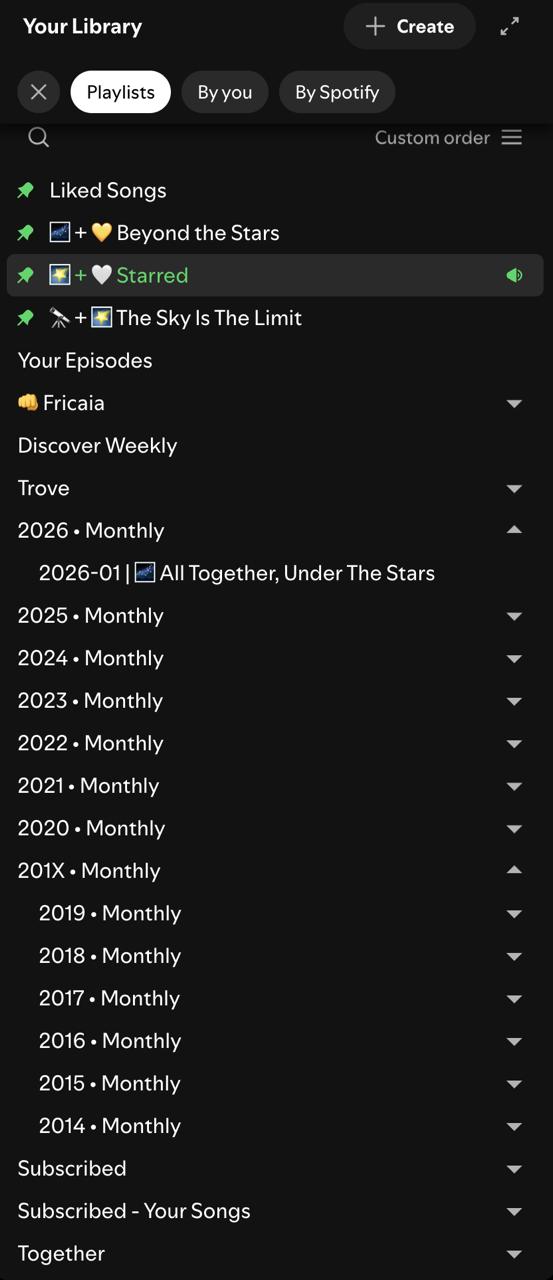
One thing I've been doing since 2014 is to create a "monthly playlist" every month. During the month I add songs I've come to like (or come back to) to this playlist. I listen to this playlist a lot during the current month. When a new month arrives, I create a new playlist, and the cycle continues. This way I can re-listen to songs while they do not become to repetitive. I tend to start disliking songs I've heard too much after that (like the ones I use for my alarm clock haha). These playlists also tend to stay manageable; a playlist has between 100 and 200 songs at the end of the month.
Each monthly playlist is sorted in a yearly folder, e.g. "2026 • Monthly". I've recently added another level and placed the 2014 to 2019 folders in a "201X • Monthly" folder, mostly because having many top level playlists becomes a hassle on mobile.
For some special occasions, or moods I also create playlists, which I put in a folder called "Trove". These playlists are more situational, and I tend to listen to these less.
I have some assorted folders like "Subscribed" for playlists I didn't create myself, Spotify mixes I like, and the yearly "your top songs" list.
Finally, I have three folders for favorites; from "kind of favorite" to "favorite" to "favorite of favorites". All very subjective, and mood dependent, I suppose.
I always, always, use custom sort order where I can. I'm used to the consistent ordering and want nothing else.
The good parts
Global music library
Spotify is pretty great in this regard. It has an almost perfect library. Songs are rarely removed, unlike for example film centric platforms. Songs are also usually available worldwide, and not as much fenced by region (afaik), unlike say e-book or audiobook platforms.
Audio quality
Disclaimer: I'm not an audiophile. I've been streaming Spotify on "Very high" and more recently sometimes on "Lossless" too; I've can't complain about the quality. It's good.
Built-in lyrics
This is a keeper. When actively listening to music (as opposed to in the background), I like to understand what is being sung. It was gone for some long years. I hope it will stay this time around. I never quite understood why a third party service is necessary for it either. The line synchronization is nice I suppose, but hardly necessary.
When consistency works
Despite some UI refreshes and a migration of the user interface to React, the Spotify user interface has been recognizably the same in years. Commonality and consistency is a great perk in the toolbox of the power user. Spotify may not have brought anything new to the table, with respect to the interface, but I would pose that that's a good thing. I couldn't stand the Play Music interface for example, when I tried it a few years ago.
The base layout has everything you need. A list of playlists on the left. A list of (sometimes grouped) songs on the right. It's tried and true.
Pain points
Podcasts
This one is fairly common. It was the main reason to turn to Spicetify originally.
I listen to podcasts almost exclusively on my phone, and for better or worse have been using the Pocket casts app for that. I'm used to it, and do not intend to use Spotify anytime soon. Spicetify allowed me to filter podcasts out of the desktop app. But as I wrote earlier I stopped using it. It wasn't a perfect solution anyhow, as it only covered my desktop use.
I feel Spotify has been pushing podcasts less than they used to a few years back, and I'm glad. I considered unsubscribing several times because of how much podcasts were promoted, and interfered with my flow.
In "My Library", there still is this mandatory "Your Episodes" playlist (can't be much of "my" library if I don't have the power to remove it). I wish I could remove it natively.
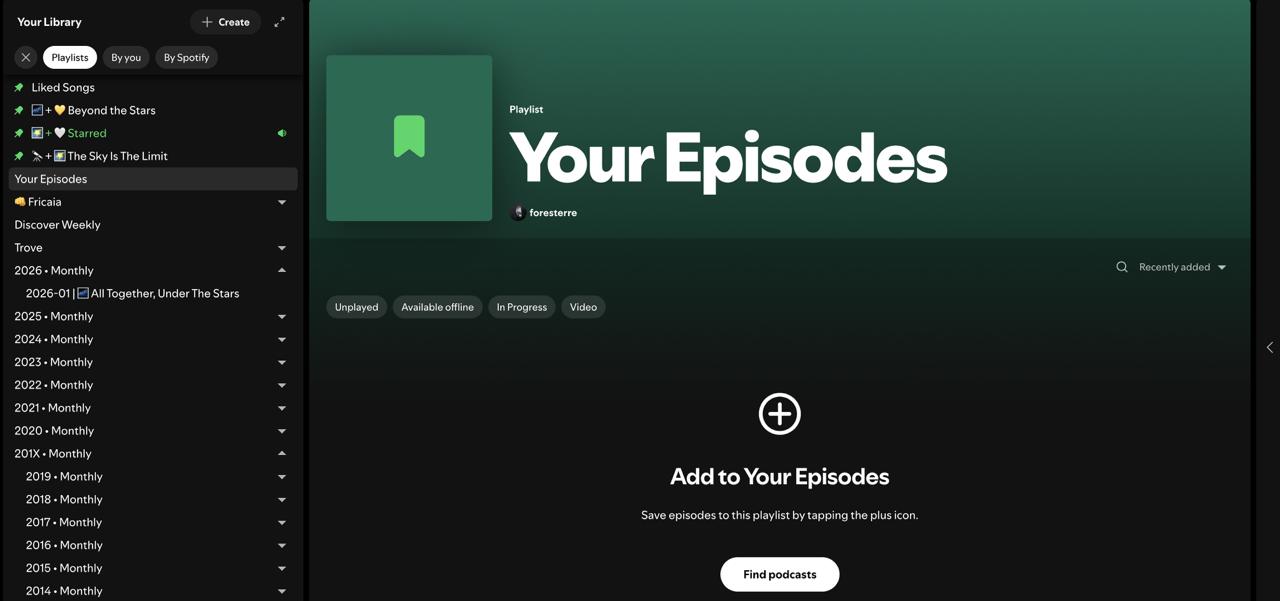

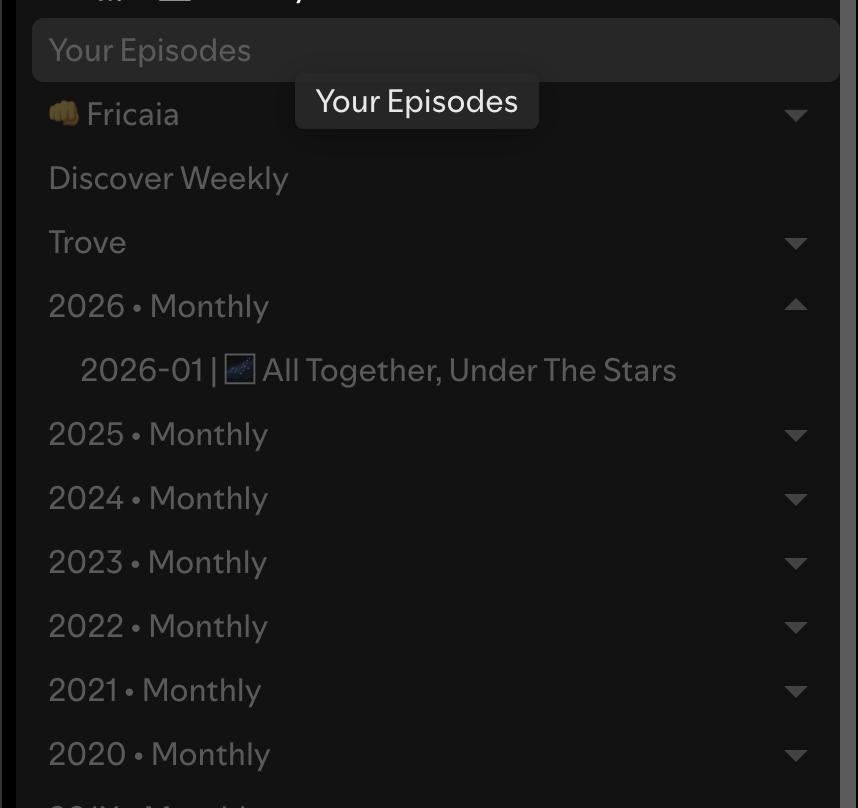
On my desktop home page, I luckily only get music recommendations. I don't even need to select the "Music" filter for that. It feels like a bug, but to me it's a feature. On mobile however I explicitly need to filter music. As a result, I don't tend to use "home" on mobile much. As a result, I mostly discover music either via the "Discover weekly" playlist or the "Go to song radio" feature.
"Add song to playlist" on mobile
This feature of "adding a song to a playlist" is something that I keep disliking (on mobile anyways). It's a place where I feel the app authors keep telling me they know better than I do, to which playlist I would want to add a song.
The thing is, they do not permit me to browse in my custom sort order. Instead, they offer "Recently updated", "Recently added", "Alphabetical" and "Recently played". The only consistent ordering is "Alphabetic", which is approximately the reverse of my custom structure (older years for monthly playlists come first - while I want to add it to a more recent one). Arguably "Recently updated" works well for my workflow, but I value consistent ordering even more.
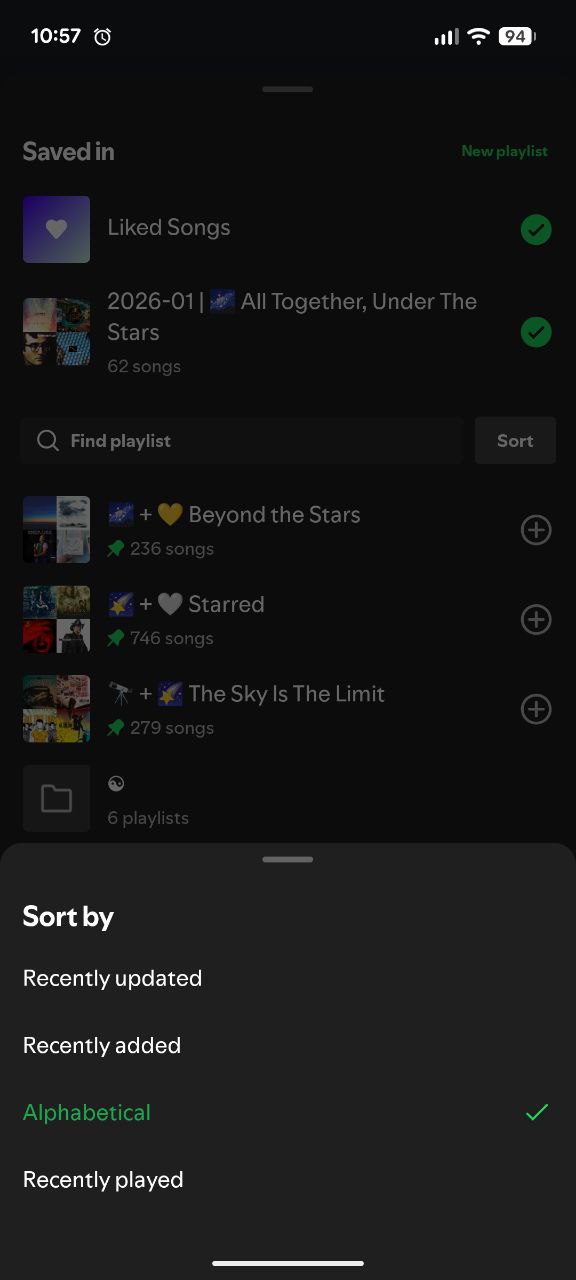
In my library I can thankfully use a custom order:
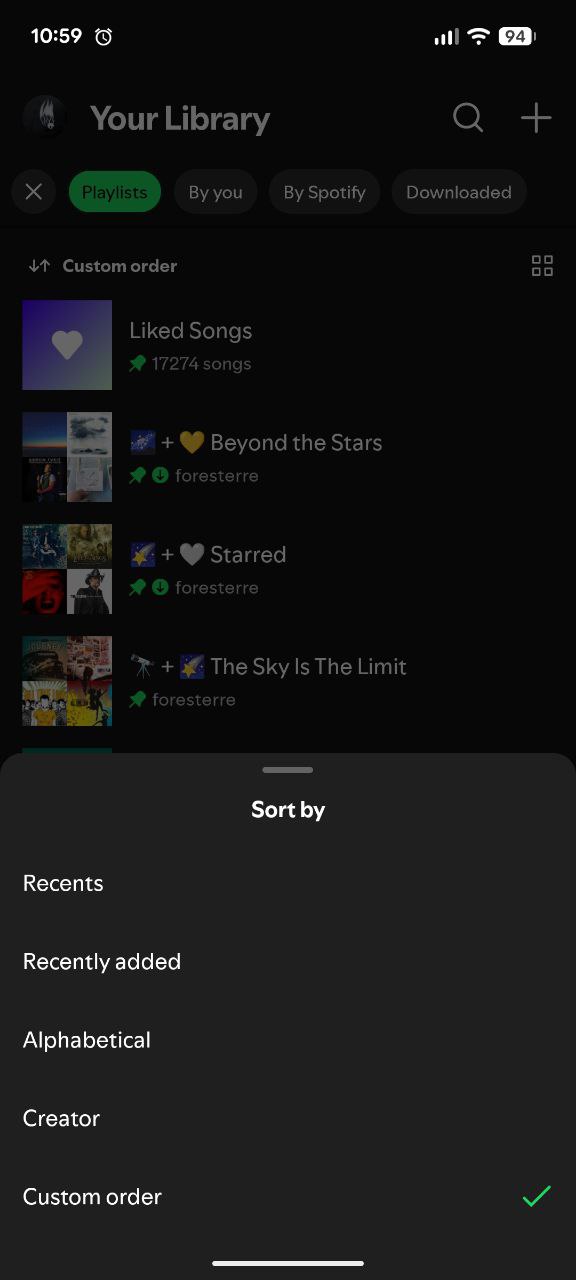
In addition to the sorting order, the "add to playlist" dialogs also have this odd feature where each folder with playlist in it, is virtualized (like a symlink) in the top level. As a result, you can navigate to playlists in deeper folders via their parents, or directly. But for someone who has a ton of playlists, and someone who added all these folders to create order, this feature just adds chaos.
For example, this is what I see from my library:

But "add to library" shows these deeper level folders at the top-level too:
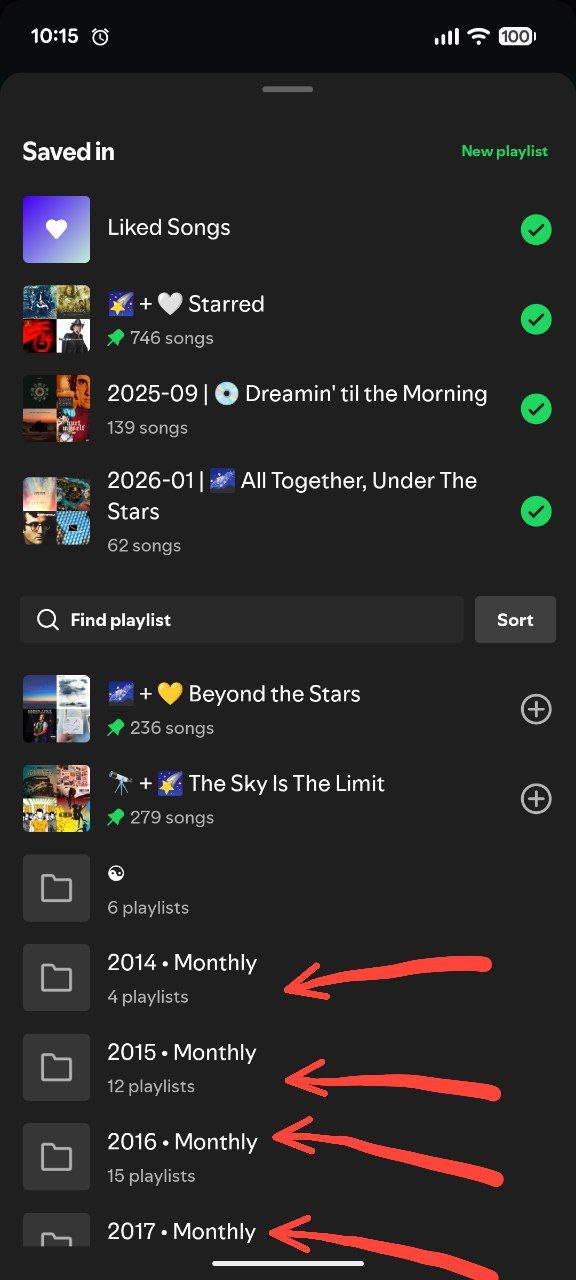
This video shows both (watch the folder titles).
When keyboard shortcuts don't match the highlighted action
With my playlist heavy workflow, I use the "add song to playlist" flow a lot. Spotify warns you when you add a duplicate (but doesn't block you). This is a great feature.
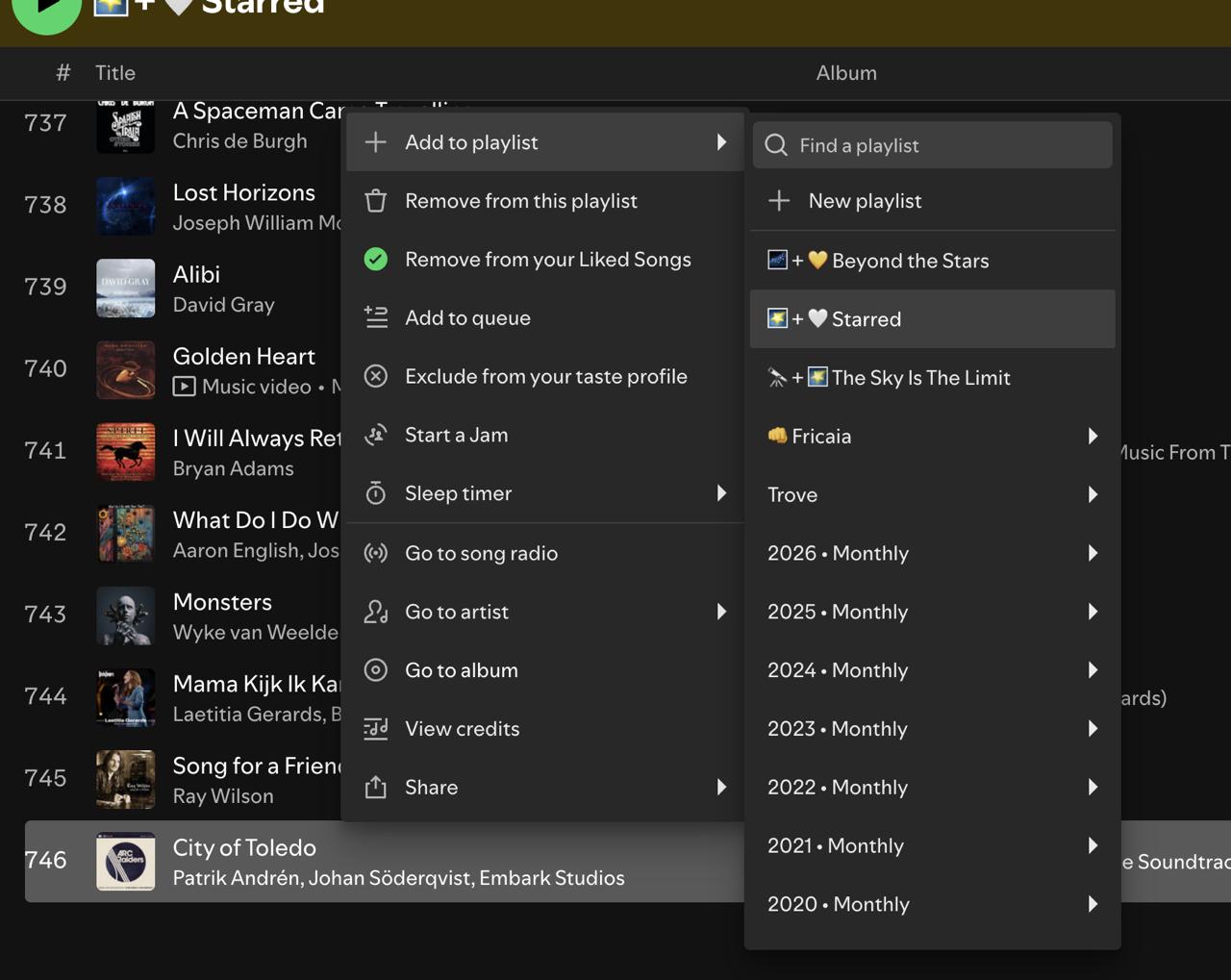
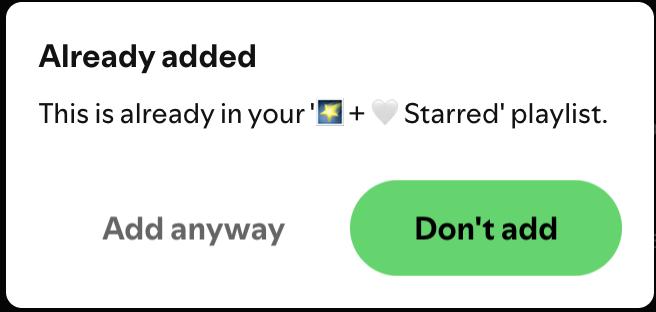
However, what do you expect to happen if you press "Enter", when "Don't add" is highlighted?
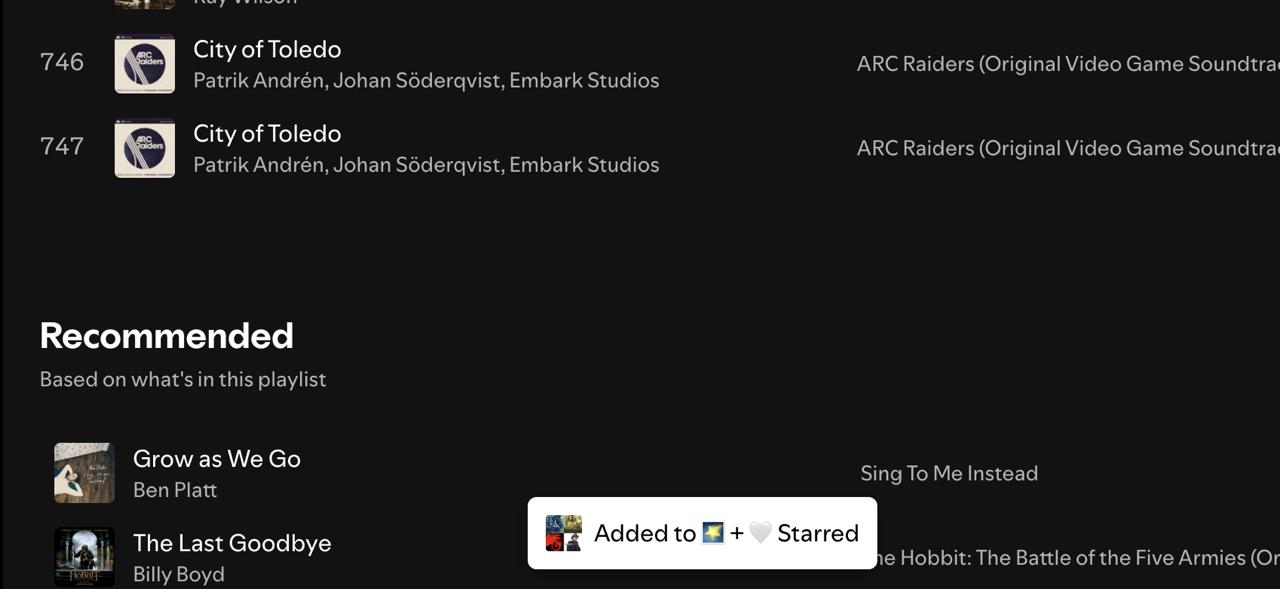
Exactly.
When desktop and mobile don't match
Spotify on desktop, and Spotify on mobile look share much of the visual design elements. I think the designers did a good job there. But as always, the devil is in the details.
It is the features, or lack thereof where pain points arise. Spotify on desktop is usually a more powerful platform. This is understandable since the mouse and the large screen allow for more precise interactions than touch and a portrait mode phone screen.
Still, after all these years, I still can't create new folders on mobile. It sucks that I need to open my desktop app for that.
Final words
I get it. I'm unlikely to be the average Spotify user. I've more than 300 playlists, rarely listen directly to albums or artists, and use this odd playlist centric workflow. Still, I have this hope, the hope of a long time subscriber, that one day the Spotify UI designers will recognize the power of user agency in app workflows and appreciate consist ordering more, like I do.